
Guide · TikTok
How to make WhatsApp stickers from TikTok
TikTok is the go-to source for stickers: short clips, reactions and dances that are already made to loop. Here’s how to turn one into a WhatsApp sticker in a few taps.
Quick answer: in TikTok, tap Share and then Copy link; paste the link on ttstickers.pro, adjust the square and a clip of up to 10 seconds, and tap Create sticker. You see it right away and, if it passes the automatic review (a few minutes), it’s published to the ttstickers.pro WhatsApp Channel. With the Android or iPhone app, it goes straight into your WhatsApp.
Step by step on your phone
- Copy the video link
In the TikTok app, tap the Share arrow and choose Copy link. On a computer, copy the address from the browser bar.
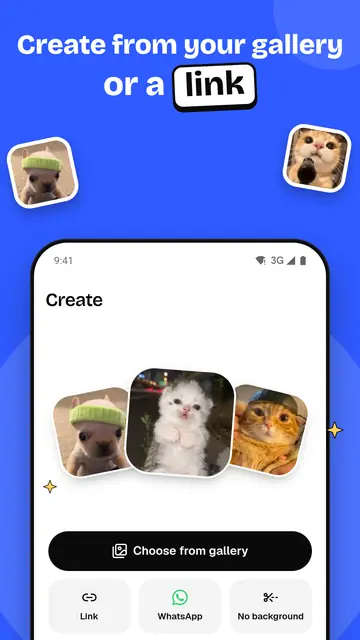
- Paste it and adjust your sticker
Open ttstickers.pro, paste the link and tap Load video (in the Android app, tap Link). Move the frame over the face or the gesture and pick 1 to 10 seconds; 2 to 4 seconds usually work best. Add some text if you like.
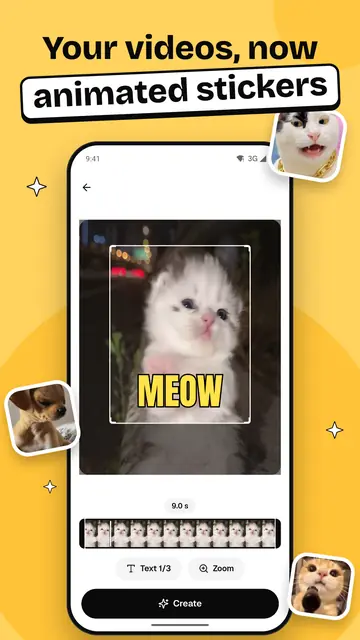
- Create it and get it on WhatsApp
Tap Create sticker. The result screen shows your sticker with an Open the Channel button and, if it passes the automatic review, it’s published to the WhatsApp Channel. In the Android app, the Add to WhatsApp button puts the stickers straight into your WhatsApp.
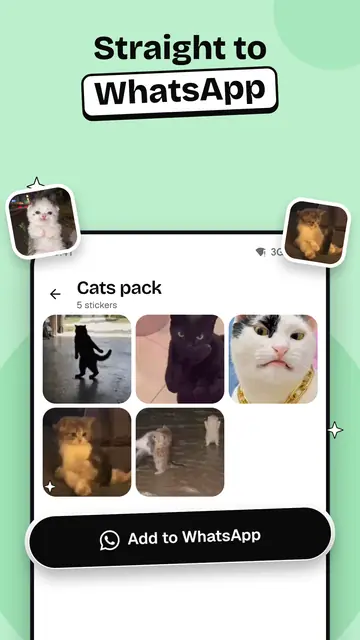
The images are from the TTStickers app for Android. On the web, the steps are similar.
Which TikTok links work
| Link type | Example | Works? |
|---|---|---|
| Long link | tiktok.com/@user/video/7300000000000000000 | Yes |
| Short app link | vm.tiktok.com/ZMabc123/ or vt.tiktok.com/ZSabc123/ | Yes |
| Share link | tiktok.com/t/ZTabc123/ | Yes |
| Private or friends-only video | Any of the above | No: the server can’t see it |
| Photo post (carousel) | tiktok.com/@user/photo/… | No: it isn’t a video |
What’s different about TikTok videos
- Watermark. When you save a video from the app, TikTok adds its moving logo. Your sticker is made from the version of the video without that floating logo.
- Vertical videos. Almost everything on TikTok is 9:16 and the sticker frame is square, so whatever falls outside gets cropped. Keep the face or the action in the middle.
- Duets and stitches. They show two videos at once. If you only want one person, move the frame over that half.
- On-screen captions. They become unreadable at 512 px. Leave them out of the frame and write your own text instead.
- Music. WhatsApp stickers have no sound. If you only want the audio, use the TikTok downloader to get the MP3.
Which clips make good stickers
- Clear reactions: laughing, surprise, clapping, an eye-roll.
- Moves that start and end in a similar way, so the loop doesn’t show.
- A single subject that stands out from the background.
- Clips of 2 to 4 seconds. Beyond 6 to 8 seconds with lots of movement, it gets hard to fit in 500 KB.
Use your own videos or ones you have permission to use. Converting someone else’s content to share or sell it may infringe their copyright.
Sticker specs
| Spec | Value |
|---|---|
| Format | Animated WebP, 512 × 512 px |
| Maximum size | 500 KB (WhatsApp’s limit for animated stickers) |
| Length | From 1 to 10 seconds, you choose |
| Sound | None: WhatsApp stickers don’t play audio |
| Text on the sticker | Optional: up to 3 texts of 40 characters |
If something goes wrong
- The link isn’t accepted: copy the link of the video, not of a profile, a sound or a search.
- The video won’t load: it may be private, deleted or blocked in your region. Open it in a private window to check that it’s public.
- The sticker is too large: pick a shorter clip or one with less movement.
- It’s taking a while: the server handles several requests at once; wait a few seconds or try again.
Also in Spanish and Portuguese. Questions? Follow the TTStickers WhatsApp Channel or get the Android app or the iPhone app.
Frequently asked questions
How do I make a TikTok sticker for WhatsApp for free?
Copy the video link in TikTok, paste it on ttstickers.pro, pick the frame and a clip of up to 10 seconds and tap Create sticker. It’s free and there’s nothing to install — just sign in with Google to create.
Does the TikTok sticker have a watermark?
It doesn’t carry TikTok’s moving logo or any ttstickers.pro mark. If the original video has logos from its author or from editing apps, you can leave them out with the crop frame.
How do I save the sticker to WhatsApp?
On the web, if it passes the automatic review, the sticker is published to the TTStickers WhatsApp Channel. To add it to your WhatsApp stickers, use the TTStickers app for Android or iPhone, which adds it directly.
How long can the sticker be?
Up to 10 seconds. WhatsApp requires the file to be 500 KB or less; if the clip has a lot of movement, the system lowers the quality and frame rate to make it fit.
Can I add text to the sticker?
Yes. You can write up to 3 texts of 40 characters, choose their color and size, and move each one over the frame before creating.
Create your sticker now
Paste the link of a TikTok, Facebook, X, Instagram or YouTube video and your WhatsApp sticker is ready in under a minute. Free — just sign in with Google.
Create my sticker